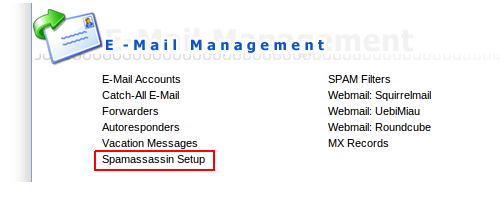
本公司所有戶口預設均未有啟用垃圾電郵過濾功能,如需使用,請登入網上控制台Directadmin後按Spamassassin Setup。
Where do you want the spam to go? (電郵一旦比系統確認為垃圾郵件如何處理?)
Inbox (don’t block it) – 繼續接收
Redirect it to the catch-all spam folder in your main imap account. – 轉寄到預設電郵戶口的”Spam”資料夾內
Send the spam to the appropriate users’s spam folder. – 轉寄到有關用戶電郵戶口的”Spam”資料夾內
Delete the spam.- 直接刪除
What score threshold do you wish to use?
Low Threshold (5.0)
Medium Threshold (7.5)
High Threshold (10.0)
這個為過濾敏感度設定,分數越低,過濾能力越高,但誤認垃圾電郵機會較大,相反分數越高,過濾能力較低,誤認垃圾電郵機會較細。一般可設定為7.5分。
Would you like to delete high scoring spam?
Yes, block all spam scoring higher than: (1-50, no decimals)
No, do not block high scoring spam. Use only the threshold in the previous section.
一般分數越高代表電郵是垃圾郵件機會越高,用戶可於此設定高於10分的電郵即接刪除。
Do you wish to rewrite the subject of a spam email?
Yes, set the subject to the following: *****SPAM*****
No, leave the subject unchanged.
如果用戶選擇繼續接收垃圾郵件,可以在此為有關電郵的表題前加上特定字眼以便Outlook等電郵軟體可以於過濾時作特定安排
設定完全緊記按”Save”否則一切不會生效。